AI art tools have come a long way from generating vaguely cursed faces and hands with too many fingers. In 2026, the best AI tools for anime art produce some of the genuinely impressive outputs that cut time for artists who are trying to create a new character from scratch or add a few spin-offs to already popular characters.
On one hand, these tools have become legitimately useful for concept work, mood boarding, background generation, and reference creation. On the other hand, the conversation around AI art and creative ownership is still very much unsettled. This guide sits in the middle of that, honestly: here is what the tools can do, where they are useful, and where they fall short — without pretending the debate does not exist.
Whether someone is a digital artist looking to speed up parts of their workflow, a writer who needs quick visual references for their manga story, or just someone curious about what AI can produce in the anime style, this breakdown covers what actually matters.
What “Anime Style” Actually Demands From AI Tools
Anime is not a monolithic aesthetic. There is a significant difference between the soft watercolour feel of a slice-of-life series, the sharp high-contrast look of a shonen action show, and the delicate linework of a romance manga. AI tools vary considerably in how well they handle each of these sub-styles.
The specific challenges for anime output are:
- Consistent character design: AI tools still struggle to keep a character’s face, hair colour, and outfit consistent across multiple generations without fine-tuning or LoRA training.
- Linework clarity: Anime relies on clean, deliberate lines. Many AI tools generate output that looks painterly or blended rather than crisp.
- Hands and complex poses: This has improved markedly, but dynamic action poses with multiple characters remain a genuine weak point across most tools.
- Text in images: Japanese text in anime-style panels is almost always garbled by AI. Do not rely on any current tool for this.
With that context established, here is how the main tools stack up.
The Best AI Tools for Anime Art in 2026
1. Midjourney v7 — Best Overall for Anime Aesthetic Quality
Midjourney remains the tool that produces the most visually striking anime-style output of any general-purpose AI art generator. Version 7, released in early 2026, improved character consistency significantly and handles the soft shading and colour palettes associated with modern anime far better than its predecessors.
The results with prompts that reference specific anime aesthetics — “Studio Ghibli background”, “shonen manga panel”, “cel-shaded character art” — are genuinely good. Background art in particular is where Midjourney shines: lush environments, detailed cityscapes, and atmospheric lighting that would take a human background artist hours to produce.
The workflow runs entirely through Discord or Midjourney’s web interface, which feels slightly clunky compared to standalone tools, but the output quality justifies the friction for most use cases.
What works well:
- The strongest aesthetic output for anime backgrounds and environmental art
- Style reference images (–sref) let artists maintain visual consistency across generations
- Character reference feature (–cref) has meaningfully improved cross-image character consistency
- Active community sharing prompts and techniques specifically for anime styles
Where it falls short:
- No standalone app — everything runs through Discord or the web interface
- Subscription required from day one, no meaningful free tier
- Less control over linework style compared to dedicated anime tools
Best for: Artists and creators who want high-quality anime aesthetic output for concept work, mood boarding, or background generation, and are happy to work within Midjourney’s ecosystem.
Pricing: From $10/month for Basic, $30/month for Standard (recommended for regular use).
2. NovelAI Diffusion — Best for Anime-Specific Generation
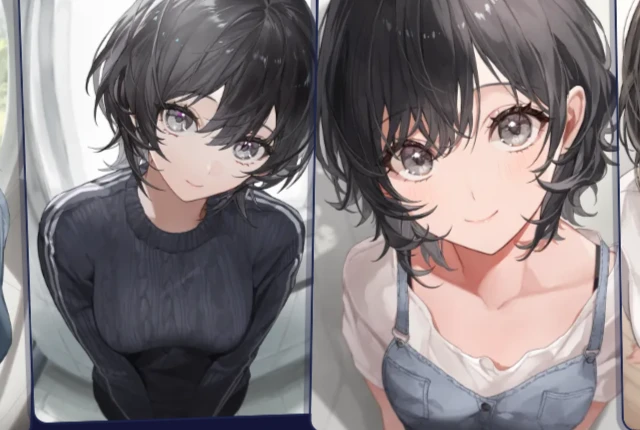
NovelAI is built specifically with anime and manga aesthetics in mind, and it shows. While Midjourney produces beautiful general output that leans anime, NovelAI produces output that actually looks like it came from an anime production pipeline — consistent linework, proper cel-style shading, and character designs that hold together more reliably than most competitors.
The tool uses models trained heavily on anime and manga datasets, which gives it a natural fluency with the style that general-purpose tools have to be prompted more carefully to achieve. For character illustration specifically — portraits, waist-up shots, full-body character sheets — NovelAI consistently outperforms the competition.
What works well:
- Purpose-built for anime output — less prompt engineering needed to get the style right
- Strong character illustration quality, especially for portrait and waist-up compositions
- Image-to-image functionality works well for refining rough sketches into polished anime-style art
- Active development with regular model updates targeting anime aesthetics
Where it falls short:
- Background and environmental art is weaker than Midjourney
- The interface is functional,but not the most polished compared to some competitors
- Less useful for artists who need output outside the anime/manga aesthetic
Best for: Anyone who specifically needs anime-style character illustrations and wants a tool that defaults to that aesthetic without heavy prompting.
Pricing: From $10/month, with a one-time tablet purchase option for offline use.
3. Adobe Firefly — Best for Artists Who Work in Adobe’s Ecosystem
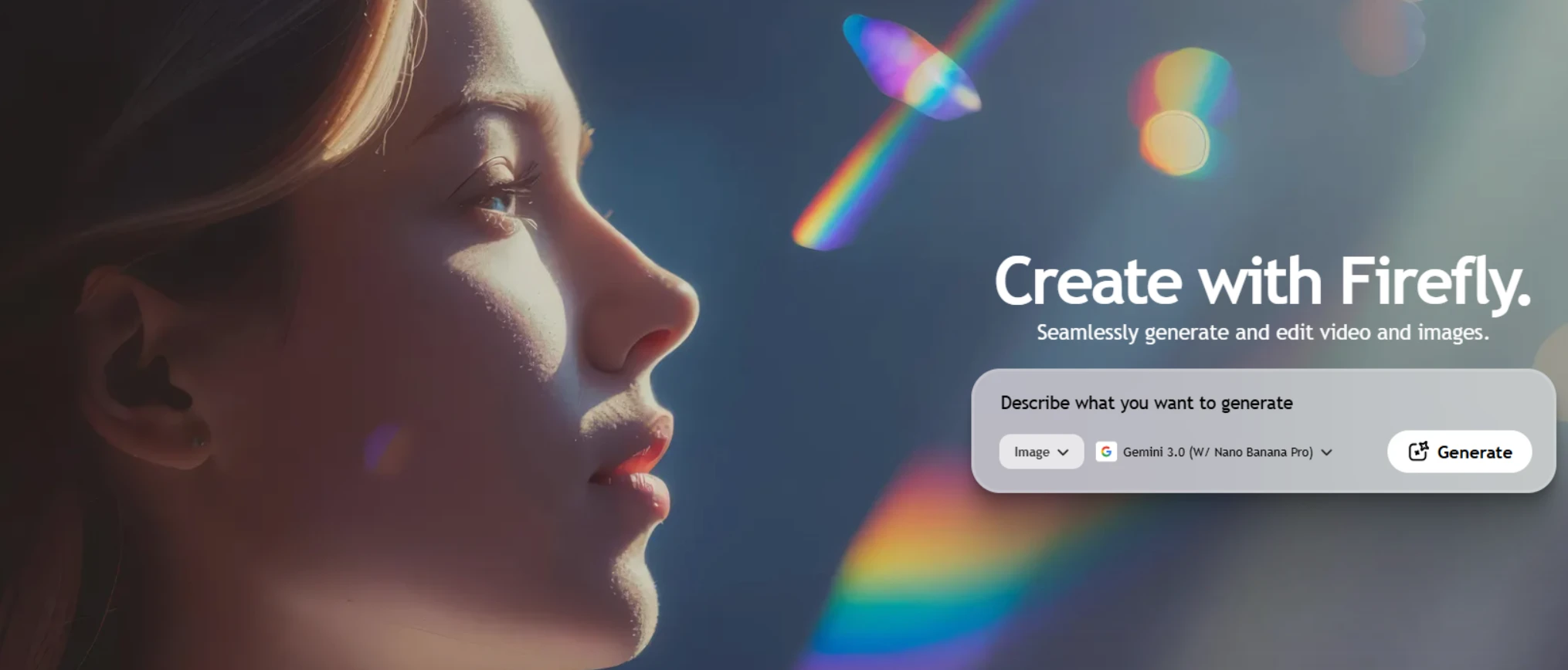
Adobe Firefly takes a different approach to the AI art conversation: it is trained exclusively on licensed content and Adobe Stock, which means using it commercially does not carry the same copyright concerns as tools trained on scraped internet data. For professional illustrators and studios with commercial considerations, that distinction matters.
For anime specifically, Firefly is not the strongest pure output tool — it skews toward a more Western illustration aesthetic by default. But with careful prompting and the Style Reference feature, it produces usable anime-style concept art and is improving with each update. Where it genuinely excels is integration: Generative Fill in Photoshop, the Text to Image workflow in Illustrator, and the ability to move AI-generated assets directly into a professional production pipeline without switching applications.
What works well:
- Commercially safe — trained on licensed content, Adobe indemnifies commercial use
- Deep integration with Photoshop and Illustrator — the most useful AI tool for working in Adobe’s apps
- Generative Fill is excellent for extending backgrounds and filling in compositions
- Consistent updates improving anime and manga style output
Where it falls short:
- Anime output quality trails Midjourney and NovelAI without significant prompt work
- Requires a Creative Cloud subscription to get the most out of it
- Less community knowledge around anime-specific prompting compared to Midjourney
Best for: Professional artists and studios who work in Adobe’s ecosystem and need AI tools with clear commercial licensing.
Pricing: Included with Creative Cloud subscriptions; 25 generative credits/month on free tier.
4. Stable Diffusion (with Anime LoRA models) — Best for Full Control and Customisation
Stable Diffusion is not a single tool — it is an open-source model that runs locally or in the cloud and can be extended with fine-tuned models called LoRAs. For anime art specifically, the community around Stable Diffusion has produced an enormous library of LoRA models trained on specific anime series, art styles, and character types that produce output no commercial tool can match for niche accuracy.
Running it locally via ComfyUI or AUTOMATIC1111 requires a decent GPU (8GB VRAM minimum for comfortable use) and some technical comfort, but the payoff is complete control — no subscription, no content filters beyond what is installed, and the ability to train custom models on specific character designs or art styles.
What works well:
- The most powerful and flexible option for anime-specific output when used with the right LoRA models
- No ongoing subscription cost if running locally
- Huge community of anime-focused models, extensions, and workflows freely available
- ControlNet integration allows precise control over poses, compositions, and character placement
Where it falls short:
- Significant technical barrier — not a plug-and-play tool
- Requires capable hardware to run locally; cloud options add cost
- No customer support — community forums are the help desk
Best for: Technically inclined artists who want maximum control over their output and are willing to invest time in learning the workflow.
Pricing: Free to run locally (hardware costs apply); cloud options via RunDiffusion or Vast.ai from around $0.20–$0.50/hour.
5. Canva AI (Dream Lab) — Best for Beginners and Non-Artists
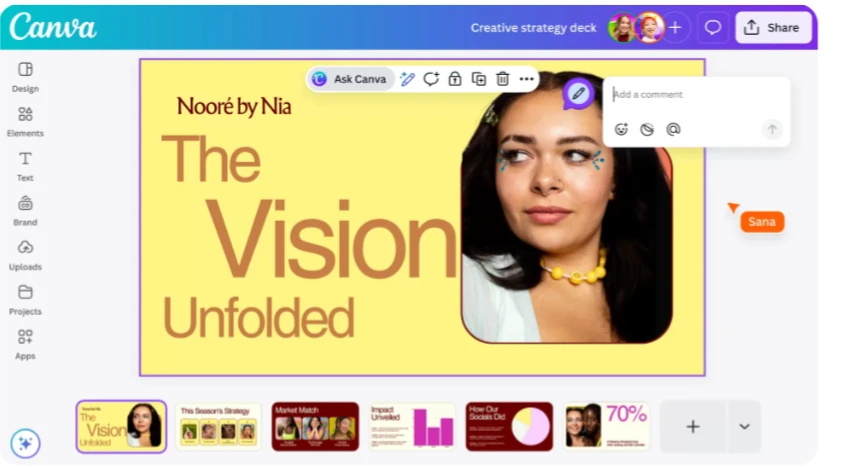
For someone who is not a trained artist and just needs anime-style visuals for a blog, a social media post, or a personal project, Canva’s Dream Lab powered by Flux is the most accessible entry point. The interface is familiar to anyone who has used Canva, the prompting is forgiving, and the results are good enough for non-professional use cases.
It is not going to satisfy a working illustrator, and the anime output has that slightly generic “AI anime” look that experienced eyes will clock immediately. But for a blogger who needs a featured image, a writer who wants to visualise their characters, or a social media manager putting together K-pop or anime content, it gets the job done with minimal friction.
What works well:
- Extremely beginner-friendly — no learning curve for anyone already using Canva
- Results drop directly into Canva’s design workflow for immediate use
- Generous free tier compared to dedicated AI art tools
- Good enough for social media and blog visuals
Where it falls short:
- Output lacks the depth and quality of dedicated anime art tools
- Limited control over style, composition, and character details
- Not suitable for professional illustration work
Best for: Non-artists, bloggers, and content creators who need quick anime-style visuals without learning a dedicated AI art tool.
Pricing: Available on Canva Free (limited credits) and Canva Pro ($15/month).
How AI Tools Fit Into an Anime Artist’s Workflow
The most productive use of AI tools for working anime artists is not replacing the drawing process — it is removing friction from the parts that are not the drawing. Specifically:
- Concept and mood boarding: Generating 20 variations of a scene or character concept in minutes before committing to one direction saves hours of exploratory sketching.
- Background and environment reference: Generating a detailed background reference to draw over or adapt is faster than sourcing photo references for every setting.
- Colour palette exploration: Generating multiple colour versions of a composition quickly to test lighting and palette decisions before final rendering.
- Pose and composition reference: Using ControlNet in Stable Diffusion to generate a character in a specific pose as a reference for linework.
Where AI tools do not fit well: final linework, character consistency across a series, and any output that needs to look like a specific, identifiable style or existing character design without significant fine-tuning work.
The Honest Take on AI Art and Anime
The use of AI-generated art in the anime and manga community is genuinely contested. Many professional illustrators are vocal about the impact on commissioned work and the dataset concerns around models trained without consent. That is a real conversation, and anyone using these tools commercially should think carefully about how they use the output, credit it appropriately, and stay informed about how the legal landscape around AI-generated art continues to develop.
For reference generation, personal use, and workflow acceleration, the tools above are genuinely useful. For commercial illustration work sold as original art, the ethical and legal ground is considerably less clear.

0 Comments