Picking the wrong drawing tablet is an expensive mistake. Ask anyone who bought a cheap, pressure-insensitive slab in their first year of digital art, used it for three months, and then upgraded anyway. That money is gone.
The good news is that the drawing tablet market in 2026 is the best it has ever been for anime artists specifically. Pressure sensitivity has improved across every price bracket, line lag is almost a non-issue on mid-range and above, and the gap between entry-level and professional hardware has narrowed considerably. Someone spending $80 today gets a better tablet than someone spending $200 five years ago.
This guide covers the best drawing tablets for anime art across every budget — from complete beginners who just want something to practice on, to working artists who need a display tablet that can keep up with a professional workflow. Each pick has been evaluated on pressure sensitivity, pen feel, driver stability, size, and value for money.
What Makes a Drawing Tablet Good for Anime Art Specifically?
Not all art styles make the same demands on hardware. Anime line art is particularly unforgiving — the clean, confident linework that defines the style requires a tablet with good pressure response at both ends of the spectrum: light enough to catch a barely-there sketch line, sensitive enough to nail a thick, expressive stroke without pressing hard.
Here is what matters most for anime illustration:
- Pressure levels: 8,192 levels is now the standard. Anything below 4,096 will make it noticeably harder to get smooth line variation without compensating with hand pressure.
- Pen tilt support: Not essential for line art, but very useful for shading and cel-style colouring. Most tablets above $60 include it now.
- Active area size: Medium (around A5) is the sweet spot for most anime artists. Too small and the hand cramping starts during long sessions; too large and the cursor travel distance makes line control harder.
- Driver reliability: This is underrated. A tablet with a great pen and buggy drivers is maddening. Wacom still leads here, but Huion and XP-Pen have closed the gap significantly.
- Surface texture: The slightly rough feel of a good tablet surface (what artists call ‘tooth’) mimics paper enough to make linework feel natural. Cheap tablets often have surfaces that are too slick.
The Best Drawing Tablet for Anime Artists in 2026
1. Wacom Intuos Medium — Best Overall for Anime Line Art
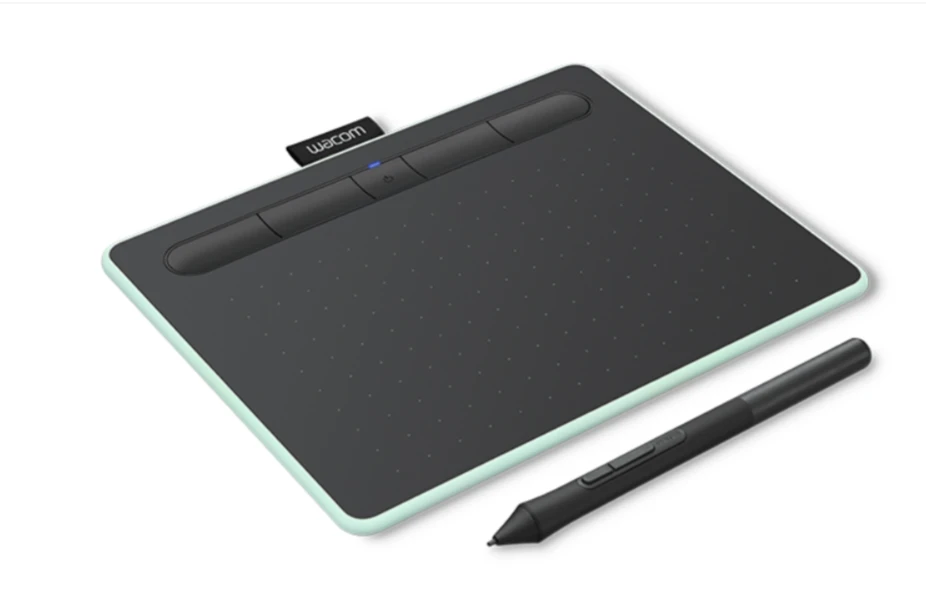
The Wacom Intuos Medium is the tablet that working anime artists most often recommend to anyone who asks, and the reason is simple: it does everything right without overdoing it. The pen feel is the best in its class, the driver has been refined over the years and rarely misbehaves, and the active area is exactly the right size for most linework workflows.
Wacom’s Pro Pen 2 technology gives the Intuos 8,192 levels of pressure sensitivity with near-zero lag, which translates directly into confident, expressive lines in Clip Studio Paint or Procreate on iPad. The nibs wear down at a reasonable rate, and Wacom still sells replacement packs at fair prices — something that matters more than it sounds when an artist is putting serious hours into a project.
What works well:
- Industry-standard pen technology — what pros actually use
- Compact driver footprint, works consistently across Windows and macOS
- Battery-free pen with excellent tilt support
- 4 customisable express keys and touch ring for shortcuts
Where it falls short:
- No display — screen-free tablets have a learning curve for newcomers
- Pricier than Huion equivalents at around $79–$99,depending on region
Best for: Intermediate to advanced anime artists who want the most reliable pen experience available without a screen.
2. Huion Kamvas 13 — Best Display Tablet for Anime Artists
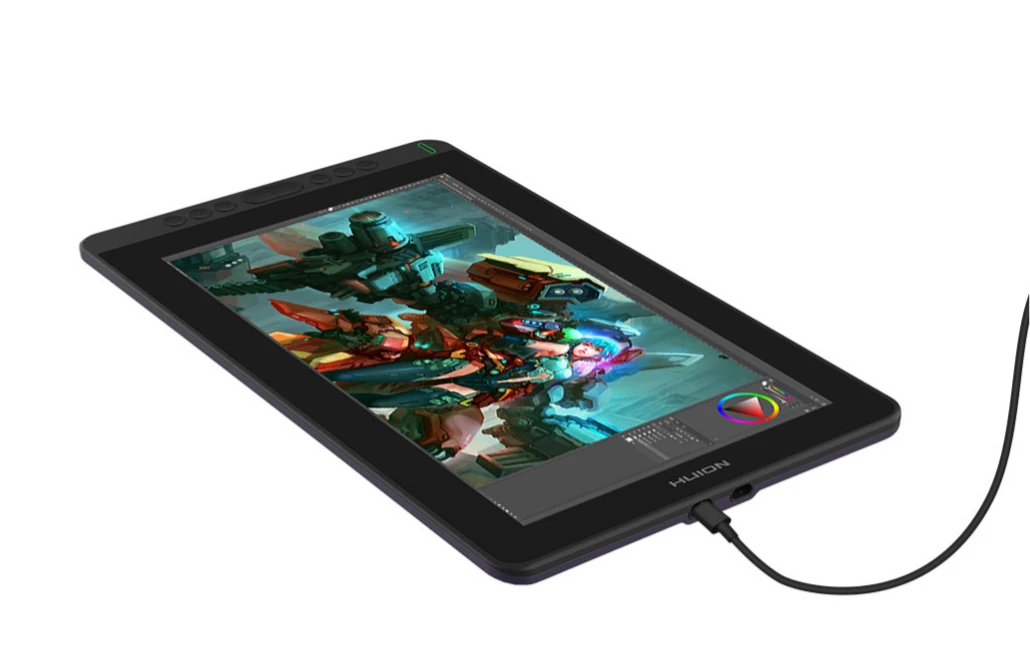
For artists who find the screen-to-hand disconnect of a pen tablet too disorienting, a display tablet — one where artists draw directly on the screen — is the answer. The Huion Kamvas 13 is the best entry point into that category for anime illustration.
The 13.3-inch 1080p screen is sharp enough for detailed linework and colour checking without being physically oversized. The AG glass finish reduces glare while keeping the surface texture comfortable for long drawing sessions, and the 8,192-level pen keeps up with fast, confident strokes without lag. At around $200, it sits in a genuinely accessible bracket for a display tablet.
What works well:
- Drawing directly on the screen eliminates the hand-eye coordination adjustment entirely
- 120% sRGB colour accuracy — good enough for anime colouring and rendering work
- Slim profile, lightweight enough to use comfortably on a desk or lap
- Comes with a tilt stand and 8 express keys out of the box
Where it falls short:
- Parallax (the gap between pen tip and the cursor) is more noticeable near the screen edges
- Huion’s driver software, while much improved, still trails Wacom for stability on some setups
Best for: Artists who prefer drawing directly on screen and want a display tablet that does not require a professional budget.
3. XP-Pen Deco 01 V3 — Best Budget Tablet for Anime Beginners
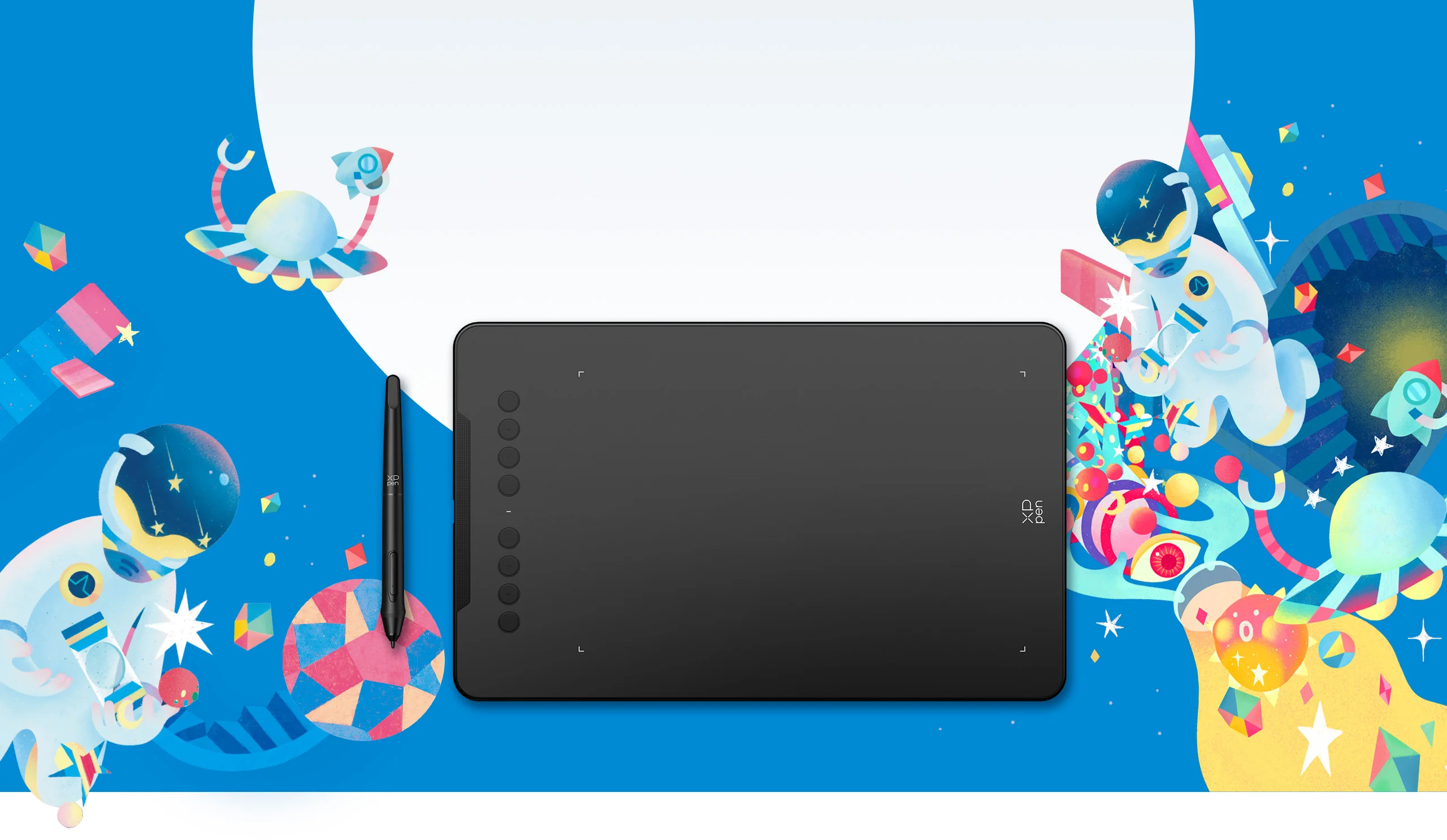
Every anime artist starts somewhere, and not everyone wants to drop $80–$200 on hardware before they know if digital illustration is going to stick. The XP-Pen Deco 01 V3 answers that problem well: it is a large-format pen tablet at around $50 that punches considerably above its price point.
The active area is generously sized at 10 x 6.27 inches — larger than the Wacom Intuos Medium — which gives beginners more room to work without cramping. The pen has 8,192 levels of pressure sensitivity, tilt support, and a battery-free design. For someone who has never used a drawing tablet before, the learning curve is gentle, and the hardware will not become a limitation until they are well past the beginner stage.
What works well:
- Large active drawing area for a low price point
- 8 shortcut keys and a dial for zoom and brush size
- Works on Android as well as Windows and macOS — useful for artists who draw on the go
- Great value introduction for anyone experimenting with anime digital art for the first time
Where it falls short:
- The pen nib wears faster than Wacom on the slightly rough surface
- The build quality is functional rather than premium — the tablet feels light in a way that can feel slightly cheap
Best for: Complete beginners who want a capable, affordable starting point for anime digital art without committing to a high price tag.
4. Wacom Cintiq 16 — Best Professional Display Tablet
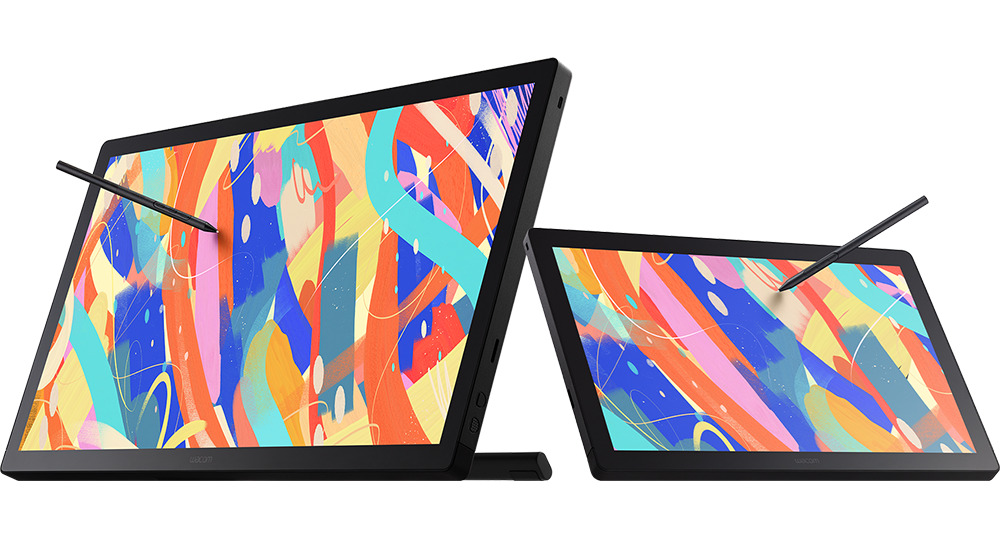
For anime artists who work professionally — character designers, illustrators, webtoon artists — the Wacom Cintiq 16 is the standard that everything else in the display tablet category gets measured against. The pen experience is flawless, the screen is colour-accurate and large enough for detailed full-body character work, and the driver stability is simply in a different league from the competition.
At around $650, it is not a casual purchase. But for someone billing professionally as a character designer or illustrator, the difference between working on a Cintiq and working on a mid-range alternative is felt every day in reduced frustration and better output quality. The virtually zero parallax and the natural, paper-like surface feel make it the closest thing to drawing on paper with a screen underneath.
What works well:
- Near-zero parallax — the cursor sits right under the pen tip
- Pro Pen 2 with 8,192 levels — the best pressure response available
- 15.6-inch display with 94% Adobe RGB — accurate enough for professional colour work
- Industry-standard status means tutorials and setups are built around it
Where it falls short:
- Expensive — genuinely a professional investment, not an impulse purchase
- No built-in stand — the stand is sold separately, which at this price point feels like a deliberate choice
Best for: Professional anime illustrators, character designers, and webtoon artists who need the best display tablet on the market and will use it every day.
5. Huion Inspiroy 2 Medium — Best Mid-Range Pen Tablet
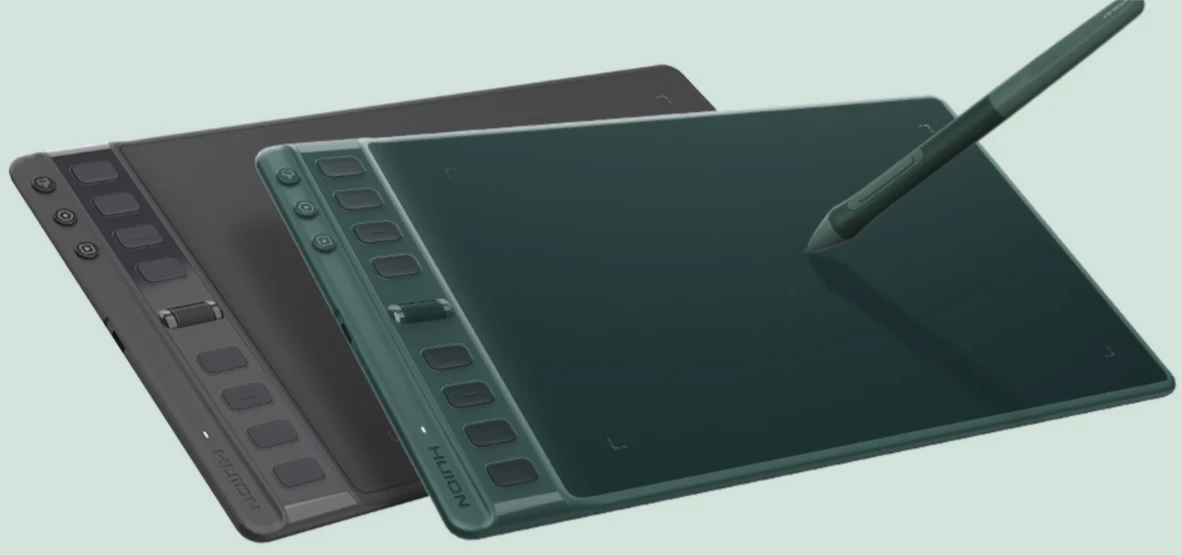
The Huion Inspiroy 2 Medium sits in the gap between budget tablets and the Wacom Intuos — a gap that many anime artists actually land in once they have outgrown a beginner tablet and want something more capable without paying Wacom prices.
The pen sensitivity is excellent at 8,192 levels, the surface texture feels refined compared to older Huion models, and the driver has been significantly improved with the latest firmware. For Clip Studio Paint users specifically, the shortcut key layout is genuinely thoughtful — eight express keys and a scroll wheel map naturally to the tools anime illustrators use most.
What works well:
- Better build quality than the XP-Pen Deco range, without the Wacom price premium
- PenTech 3.0 — noticeably improved tilt accuracy and reduced wobble on long curves
- Works across Windows, macOS, and Android
- Good active area at 8.7 x 5.4 inches — solid for anime character work
Where it falls short:
- Driver updates can occasionally introduce quirks — keeping firmware current matters more here than with Wacom
- Less third-party accessory support than Wacom
Best for: Anime artists who have outgrown their beginner tablet and want a capable mid-range upgrade without paying for the Wacom name.
Pen Tablet vs Display Tablet: Which Should an Anime Artist Choose?
This is the question that comes up most often, and the answer depends mostly on experience level and budget.
Screen-free pen tablets have a real learning curve: drawing with the hand on the tablet while watching a screen takes some adjustment, and many beginners find it disorienting for the first few weeks. But once the hand-eye coordination clicks, the workflow is fast and efficient. Professional animators and illustrators often prefer pen tablets precisely because they do not have to look down — the eyes stay on the work.
Display tablets feel immediately intuitive, especially for people who are used to drawing on paper. The direct-on-screen feedback removes the adjustment period entirely. The trade-off is price — a decent display tablet costs significantly more than a comparable pen tablet — and the fact that looking down at a screen for extended sessions can cause neck strain.
For beginners: start with a pen tablet. Learn the hand-eye separation. If it never feels right after a few months of genuine practice, then consider a display tablet. Many professionals who tried display tablets later returned to pen tablets simply because the screen-free workflow suited how their brains operated during drawing.
Which Software Works Best With These Tablets?
The tablet is only half the equation. For anime art specifically, the software choices matter:
- Clip Studio Paint: The industry standard for anime and manga illustration. The brush engine is built for the kind of linework anime requires, and it integrates with every tablet on this list without issue.
- Procreate (iPad only): Not relevant for the tablets above, but worth knowing for artists considering an iPad Pro as an alternative to a dedicated tablet setup.
- Adobe Photoshop: Works well, but the brush engine is heavier and less optimised for anime linework than Clip Studio.
- Krita: Free, open-source, and surprisingly capable. A legitimate option for artists who cannot afford a Clip Studio licence right away.
Final Verdict
For most anime artists, the decision comes down to three picks depending on where they are in their journey:
- Just starting and want to keep costs low: XP-Pen Deco 01 V3 at around $50 is the most capable beginner option available right now.
- Serious about the craft and want the best pen experience: Wacom Intuos Medium at $79–$99 is the choice that the majority of working artists end up on.
- Want to draw directly on screen without breaking the bank: Huion Kamvas 13 at around $200 gives the display tablet experience at the most accessible price point in the category.
The Wacom Cintiq 16 and Huion Inspiroy 2 are excellent options for specific situations — professional workloads and mid-range upgrades, respectively — but the three picks above cover the vast majority of anime artists at every stage.


0 Comments